
Updated 2026-09-26
How to Redact a Word Document (.docx) Safely
If you searched how to redact a Word document, you are usually one mistake away from leaking the same text you thought you hid. Black highlight, white font, and covering shapes leave the original characters inside the .docx XML. Tracked changes, comments, headers, footers, and document properties keep SSNs, client names, and deal terms even when the page looks clean. Modern Word (.docx) can be redacted by replacing sensitive text in the file itself—then verifying search and copy. For pixel-level court-style black bars, export to PDF and use true PDF redaction. Start with this guide, the Word document redaction overview, and the Word & Excel hub. For a sample file, try the online demo (Word supported).
- → How do I redact a Word document before sharing?
- → Does black highlight in Word redact text?
- → Can I redact a .docx without converting to PDF?
- → Do comments and track changes leak after redaction?
- → What is the safest way to remove PII from Word?
What “redact a Word document” actually means
Redacting a Word document means permanently removing or replacing sensitive text so a recipient who opens the .docx cannot recover the original words—by copy-paste, Find, Compare Documents, or unzipping the OOXML package. Visual cover-up is not redaction. If the characters still exist in document.xml (or related parts), the file is still unsafe to send.
This guide targets modern Word format (.docx). Legacy .doc binaries are a different problem—convert to .docx or PDF first, then redact. Prefer offline tools for client or regulated files; use the browser demo only on non-confidential samples.
| Method | Looks redacted? | Actually safe? |
|---|---|---|
| Black highlight / black font on black background | Often yes | No — text remains selectable |
| Drawing shape or text box over words | Yes | No — underlying runs remain |
| Delete text and type XXXX manually | Yes | Partial — easy to miss headers, comments, revisions |
| True .docx text redaction (replace + deep clean) | Yes | Yes for body text — verify pictures/embeds |
| Export clean PDF → true PDF blackout | Yes | Yes for filings that need irreversible image pages |
Where Word leaks after a “clean” looking page
- Tracked changes and revision marks (deleted text is still in the file until accepted/rejected and cleaned).
- Comments, ink, and @mentions with editor names and quoted PII.
- Headers, footers, and first-page vs odd/even variants.
- Text boxes, shapes with text, and content controls.
- Hidden text, collapsed outline levels, and white font on white.
- Hyperlinks whose display text is clean but whose target URL contains a case ID or email.
- Embedded Excel objects or pasted tables that still hold live cells.
- Custom document properties and Author / Last Modified By metadata.
If you only highlighted sensitive paragraphs, a colleague can still run Review → Compare and reconstruct what you covered. Treat highlight as a drafting aid—never as the shareable deliverable.
Two safe paths: native .docx vs PDF blackout
Pick the path that matches how the file will be used. Native .docx redaction keeps an editable Word file with sensitive strings replaced in the document text—useful when counsel still needs to edit non-sensitive clauses. PDF blackout burns pages to irreversible images (or removes PDF text streams)—useful for court portals, opposing counsel productions, and any share where “editable source” is a liability.
| Need | Prefer |
|---|---|
| Share a still-editable Word file with names/SSNs removed | Native .docx redaction + deep clean |
| Court / eDiscovery / FOIA-style permanent black bars | Clean export → true PDF redaction |
| Batch of mixed Word + Excel + PDF in one folder | Offline desktop app with multi-format support |
| Quick sample on a non-confidential file | Online demo (Word supported) |
Pictures, charts, and many embedded objects are left unchanged. If a screenshot inside the document shows an SSN, black that image out separately, replace the image, or export to PDF and redact the page as an image.
Offline workflow for how to redact a Word document
- Save a pristine original outside the share folder (never overwrite your only copy).
- Accept or reject tracked changes; delete comments you do not need for the recipient.
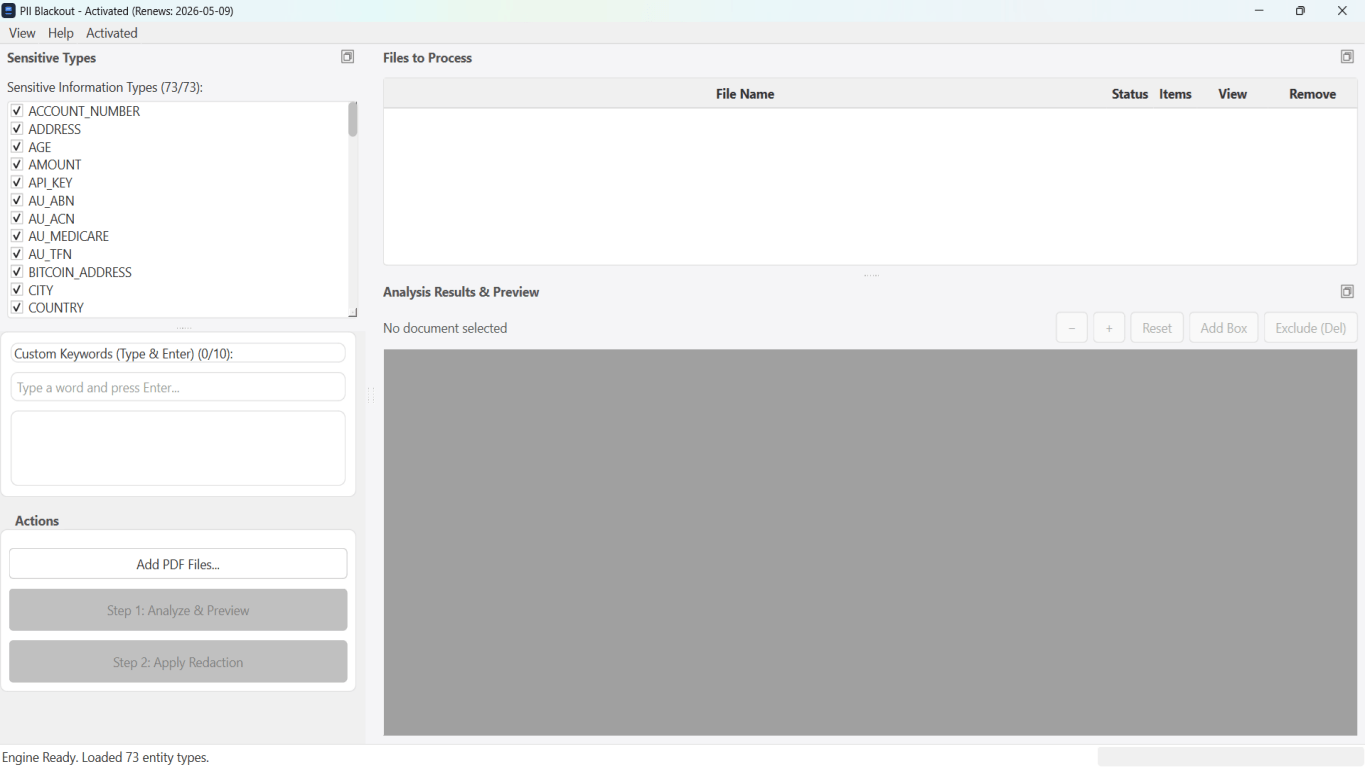
- Open the .docx in an offline redaction tool that supports modern Word.
- Select PII types (names, SSNs, phones, emails, account numbers) and add case-specific keywords.
- Run Analyze; review every hit—deselect false positives in definitions or exhibit titles you must keep.
- Apply redaction so sensitive spans are replaced in the document text; enable deep clean for revisions/metadata when available.
- Open the output .docx: Find the original SSN/name; copy a paragraph that should be gone; confirm it fails.
- Spot-check headers, footers, tables, and hyperlink targets.
- If the recipient requires PDF, export the redacted Word file—or start from a clean PDF and apply PDF blackout.
- Share only the redacted export; keep the original offline under access control.

Field checklist by document type
| Word file type | Usually redact | Often keep |
|---|---|---|
| Client letter / demand | SSN, account #, home address, DOB | Public case caption if already filed |
| Contract draft for RFP sample | Pricing, party legal names, notices | Boilerplate structure, defined-term shells |
| HR offer / reprimand | SSN, salary if not required, home address | Role title, dates if policy allows |
| Medical / insurance letter | MRN, DOB, diagnosis detail beyond need | Provider letterhead if authorization requires it |
| Internal memo for board pack | Employee names, deal codes, emails | Non-identifying metrics leadership already knows |
Minimum necessary still applies: over-redacting a contract until it is unreadable wastes review time. Under-redacting one footer email wastes a breach response. Ask the recipient once what they need visible.
Tool comparison for Word redaction
| Approach | Safe for external share? | Notes |
|---|---|---|
| Word highlight / shapes | No | Recoverable via Find, copy, Compare |
| Manual Find-and-replace to XXXX | Risky | Misses headers, text boxes, comments, revisions |
| Inspect Document only | No | Metadata cleanup ≠ body PII removal |
| Native .docx redaction (offline) | Yes (with verify) | Replaces text in OOXML; review embeds/images |
| Export PDF → Acrobat / offline PDF redact | Yes | Best when the deliverable must be PDF |
| Free upload “Word redactor” sites | Risky | Confidential .docx leaves your network |
Step-by-step workflow
- Archive an unredacted original; work on a copy.
- Clear track changes and comments that should not travel with the file.
- Analyze the .docx with PII detection + custom keywords.
- Review highlights; keep intentional terms; remove false positives.
- Apply permanent text replacement; deep-clean revisions/metadata when offered.
- Verify with Find, copy-paste, and a second Word instance.
- Check images/embeds; re-work those separately if they show PII.
- Share only the redacted .docx or a verified PDF export.
Common mistakes
- Black highlight treated as redaction
The highlight run property does not delete characters. Recipients paste into Notepad or Compare Documents and recover every SSN you “covered.”
- Sending DOCX after PDF-only redaction of a printout
If you print → mark → scan a PDF but still email the original Word file, the editable source undoes the work.
- Ignoring headers, footers, and first-page variants
Letterhead footers repeat emails and matter numbers on every page. Always Find across the whole document after redaction.
- Leaving tracked changes “just in case”
Unaccepted deletions and insertions are a complete edit history of the PII you tried to remove.
- Uploading client Word files to random websites
Attorney-client and employment files should stay on a controlled desktop. Use online demos only for throwaway samples.
Verification before you share
- ✓ Find(original SSN / full account number): zero hits in body, headers, footers.
- ✓ Copy a previously sensitive paragraph → paste into Notepad: masked or gone.
- ✓ Review → Track Changes is off; no lingering comments with PII.
- ✓ File → Info properties do not show unnecessary Author email if scrubbed.
- ✓ Embedded worksheets and images spot-checked for visible identifiers.
- ✓ Only the redacted export is attached—original stays offline.
Offline tool option
For bank statements, legal productions, HR files, and other high-risk PDFs, desktop software that runs offline PII removal lets you auto-detect identifiers, review matches, and apply permanent redaction without uploading to the cloud. PDF redaction hub and Bulk PII redaction helps when you have entire folders—not one file at a time.
Download Free TrialFAQ
Can I redact a Word document without converting to PDF?
Yes—modern .docx files can be redacted by permanently replacing sensitive text in the document XML and cleaning revisions/metadata. Verify with Find and copy-paste. Use PDF blackout when the recipient or court requires a non-editable PDF.
Is black highlight in Word the same as redaction?
No. Highlight and black-on-black font leave the original characters in the file. That is a visual effect, not redaction.
Does Inspect Document redact PII?
Inspect Document helps remove some hidden data and properties. It does not systematically remove names, SSNs, or account numbers from paragraph text.
What about pictures inside the Word file?
Native text redaction typically leaves pictures, charts, and many embeds unchanged. Replace or crop those assets, or export to PDF and redact the page as an image.
Should law firms prefer PDF for productions?
Often yes for formal productions—PDF plus true redaction and a privilege log is the expected package. Native redacted .docx is useful for collaborative drafts where editing must continue.
Can I try Word redaction before installing desktop software?
Yes. Use the free online demo on a non-confidential sample .docx, review detections, then download the offline app for client files and batch folders.
- Word Document Redaction: Definition, Risks & Safe Workflow
- How to Black Out Text in a Word Document (Safely)
- How to Redact Word and Excel Documents (Hub)
- How to Redact an Excel Spreadsheet (.xlsx)
- Excel Redaction: Permanently Remove Sensitive Spreadsheet Data
- How to Redact a Contract Without Legal Risk
- How to Redact HR Documents
- How to Redact a PDF (Hub: Bank, Card, Passport & More)
- How to Remove Metadata from PDF
- Document Redaction Best Practices