
Updated 2026-10-21
Irreversible Redaction vs Overlay
Irreversible redaction removes the text from the file. Overlay redaction draws a black or white box on top and leaves the text underneath. They look the same on screen. Courts, FOIA offices, and privacy rules expect the first one. This page is how to tell them apart, then the rest of the checklist: minimum necessary, metadata, and a check before the file goes out. Scenario steps live in how to redact a PDF.
- → What are document redaction best practices?
- → What is the safest way to redact a PDF?
- → What should be redacted in discovery documents?
- → How do I verify redaction before sending?
- → What are common redaction mistakes to avoid?
Irreversible redaction vs overlay redaction
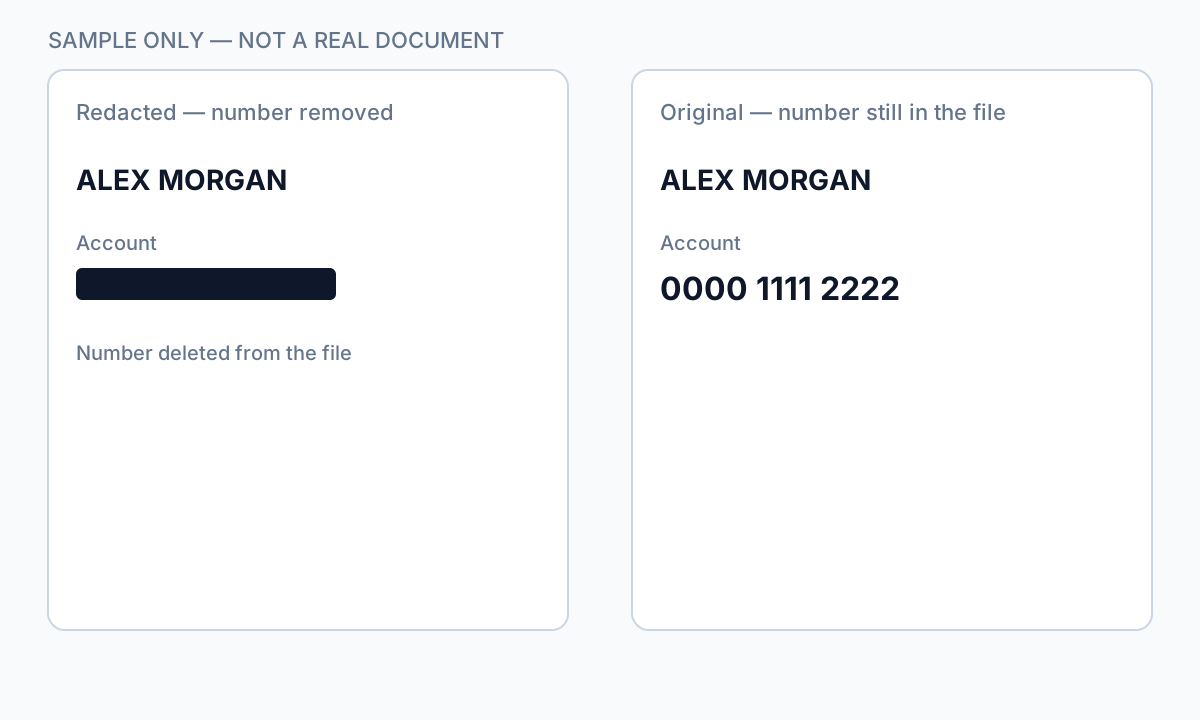
The two methods produce the same black bar. The difference is whether the words are still in the file. That is the whole test, and it is why a file can look finished and still fail.
| Irreversible redaction | Overlay | |
|---|---|---|
| What you do | Mark the text, then apply so the content is rewritten | Draw a shape, highlight, or comment |
| What the reader sees | A black bar | A black bar |
| Copy and paste | The words are gone | The words paste out |
| Delete the box in a viewer | Nothing is underneath | The original text comes back |
| Fit for a statement, a chart, or a filing | Yes, after you test the export | No |
Open the file, select all, copy, and paste into a blank note. If the account number or the name appears, you have an overlay. Start over with a tool that applies redaction, or with a flat image you have checked for a hidden text layer.
Core principles
- Minimum necessary: redact only what policy or law requires—over-redaction wastes review time.
- True removal: Apply redactions that edit the content stream, not shapes on top.
- Metadata last: sanitize Author, XMP, comments, attachments after content pass.
- Verify always: paste test, Find search, second viewer—not visual inspection alone.
- Chain of custody: secure unredacted original; transmit redacted copy only.
Ctrl+A → Copy → Paste into plain text. If sensitive content appears, the file does not leave the building.
Workflow by phase
| Phase | Actions |
|---|---|
| Intake | Classify sensitivity; copy original to secure storage |
| Mark | Auto-detect PII + manual review headers/footers/attachments |
| Apply | True redaction; batch when volume requires automation |
| Sanitize | Metadata, hidden layers, embedded files |
| Verify | Paste test, search, privilege log if legal |
| Release | Secure channel; document what was redacted and why |
High-risk mistakes (never do these)
- Black boxes or whiteout without Apply.
- Uploading regulated PDFs to free online redactors.
- Using Word highlight or Excel hide-row tricks, then sending native files.
- Skipping metadata because the page looks clean.
- Emailing the only copy without backup of original.
Scale and automation
Manual one-file redaction does not scale for FOIA queues or monthly statement batches. Best practice at volume: consistent detection rules, QA sample on every batch, and offline processing so files never leave controlled environments. See batch redaction and financial documents guides.
Step-by-step workflow
- Define redaction policy (what fields, which recipients).
- Use true redaction tools—offline for PII.
- Apply minimum necessary redaction marks.
- Sanitize metadata and hidden objects.
- Run verification checklist on every export.
- Log redactions for legal/FOIA if required.
- Transmit redacted copy via secure channel.
Common mistakes
- Trusting appearance over structure
Overlays look identical to true redaction in viewers.
- No QA on batch jobs
One missed footer account number compromises the batch.
Verification before you share
- ✓ Paste test passed.
- ✓ Find search for known identifiers empty.
- ✓ Metadata scrubbed.
- ✓ Unredacted original access-controlled.
- ✓ Redaction log complete if legally required.
Offline tool option
For bank statements, legal productions, HR files, and other high-risk PDFs, desktop software that runs offline PII removal lets you auto-detect identifiers, review matches, and apply permanent redaction without uploading to the cloud. PDF redaction hub and Bulk PII redaction helps when you have entire folders—not one file at a time.
Download Free TrialFAQ
What PII should always be redacted?
SSN, full account numbers, DOB, medical IDs, and direct identifiers—plus context-specific fields per document type guides.
Is redaction the same as anonymization?
Redaction removes specific content from a copy. Anonymization may aggregate or pseudonymize—different legal tests apply.
Do best practices differ for scans vs text PDFs?
Yes—scans need OCR-aware detection and often flatten verification. See scanned PDF guide.
What is the difference between irreversible redaction and overlay redaction?
Irreversible redaction deletes the text from the file. An overlay draws a box on top and leaves the text in place. They look identical until you copy and paste. If the hidden words paste out, the redaction was only an overlay.