
Updated 2026-06-06
How to Redact PDFs in Batch
Batch redaction is how controllers ship 40 bank PDFs to an auditor, how paralegals prep FOIA folders, and how HR teams sanitize export bundles before external review. The upside is speed; the failure mode is applying the wrong rule to 2,000 files and only discovering the leak when opposing counsel runs Ctrl+A. Searchers usually want a repeatable folder workflow—not another single-file tutorial. This guide covers pilot design and spot-check math—see batch PDF blackout, document redaction best practices, and legal eDiscovery workflow.
- → How do I redact an entire folder of PDFs at once?
- → Can I batch redact PDFs without Adobe Acrobat Pro?
- → What is a safe pilot workflow before running redaction on hundreds of files?
- → How do finance teams redact monthly statement PDFs in bulk?
- → Do I need an audit log for batch PDF redaction in legal discovery?
When batch beats one-file-at-a-time
Batch makes sense when files share structure and sensitivity patterns: monthly bank exports with footers on every page, HR payroll PDFs with SSN columns, discovery sets with repeated party names, or FOIA releases with the same exemption categories. It does not replace judgment—you still review before commit—but it eliminates drawing the same box on page 47 of every statement.
- Homogeneous types in one folder (all text PDFs or all scans—split mixed folders).
- Repeated identifiers: account numbers, SSN patterns, matter-specific keywords.
- Time pressure with need for consistent rules across the set.
- Audit or compliance need to document what was removed (operation logs).
One misconfigured pattern redacts 500 files wrong in minutes. Never run full batch on day one—pilot on a stratified sample, read every page of pilot outputs, then scale.
Folder workflow architecture
| Folder | Purpose | Rule |
|---|---|---|
| 01-originals/ | Source PDFs from bank, HR, or discovery | Never write redacted output here |
| 02-pilot/ | 3–5 representative files for rule tuning | Human reads 100% of pilot outputs |
| 03-redacted/ | Batch export destination | New filenames; optional -redacted suffix |
| 04-logs/ | Match counts, timestamps, rule version | No sensitive content in log text if avoidable |
Prefer “save to new folder” over in-place overwrite until audit closes. Adobe Action Wizard, offline desktop batch tools, and enterprise redaction platforms all support output-folder modes—use them. Filename conventions like statement-2025-03-redacted.pdf beat embedding account numbers in names.
Step 1: Define a detection profile
A detection profile is the set of patterns and entity types your batch run will hunt: SSN and EIN regex, email and phone, financial account and routing patterns, plus custom keywords (client codenames, matter numbers, employee IDs). Version the profile—redact-profile-v3-2026-06.json or a named preset in your tool—so you can explain later why March batch differed from April.
- Start with built-in financial and identity entity types.
- Add custom keywords from the matter (opposing party names, account nicknames).
- Split scan-heavy files into a subfolder; enable OCR path before detection.
- Document false-positive examples (public IRS routing in tax payment lines) to exclude next run.
Step 2: Pilot batch design (non-negotiable)
Pick a stratified sample, not random luck: first file in sort order, middle file, last file, one unusually large file, one scan-heavy or fax-quality file. Run the profile; export to 02-pilot/. A human reads every page of every pilot output—not just the summary count.
Good batch tools show per-pattern hits across the folder before permanent deletion—e.g., “847 SSN matches, 12,403 account fragments.” If SSN count is zero on a payroll folder, your OCR or profile is wrong. Tune until preview matches expectations.

Step 3: Execute full batch and spot-check
After pilot sign-off, process the full input folder to 03-redacted/. Spot-check math: minimum 10 files or 5% of outputs, whichever is larger—search each for known sensitive strings, run Ctrl+A paste test on at least one page per spot file. For legal productions, log file name, pattern label, match count, output path, and timestamp per file.
- Output file count equals input count (investigate failures immediately).
- First, middle, last outputs in sort order manually opened.
- Random sample of 5% with Find search for client SSN last-four or matter keyword.
- One scan and one native-text PDF from the set get full-page visual read.
- Operation log archived in 04-logs/ with profile version ID.
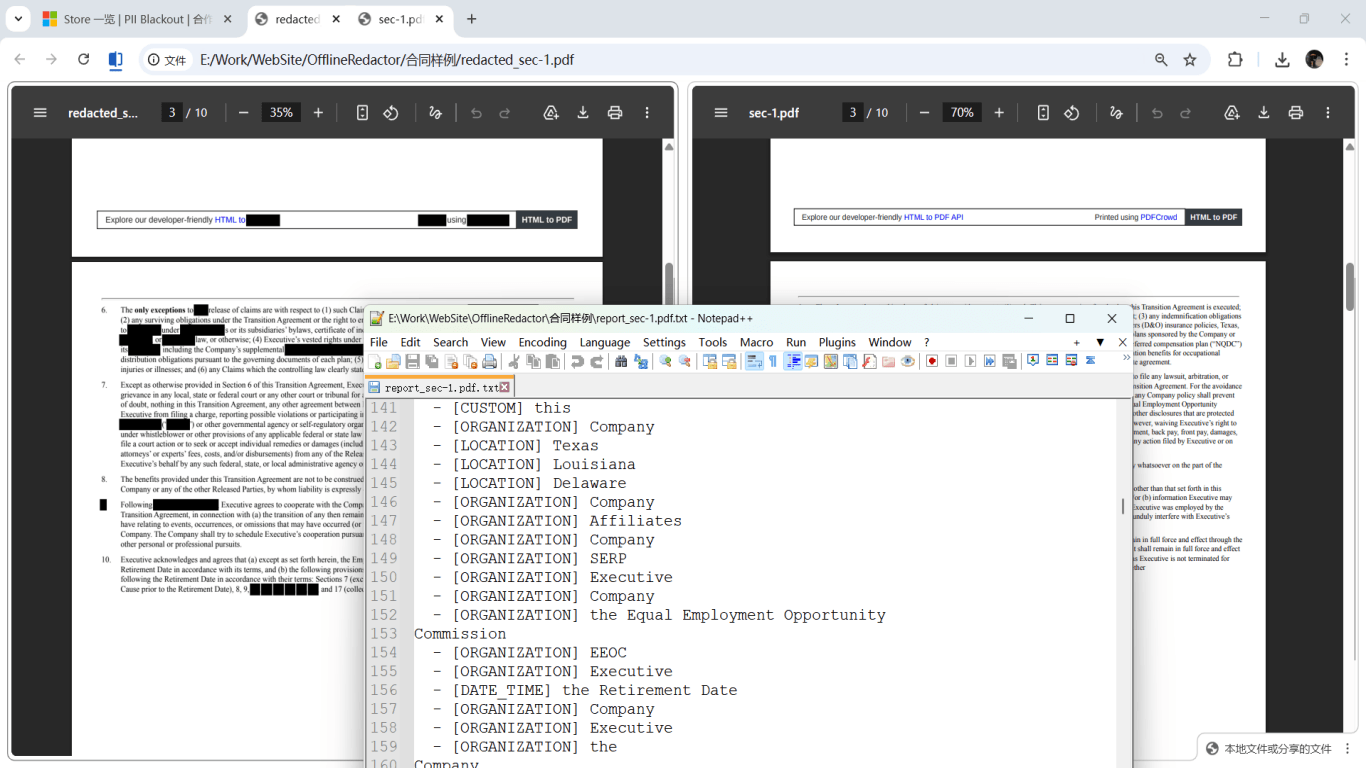
Tool options for batch without manual box-drawing
| Approach | Offline? | Typical user |
|---|---|---|
| Adobe Acrobat Pro Action Wizard + redact plugins | Yes | Firms already on Adobe with AutoRedact-style dictionaries |
| Offline desktop PII tool with folder import | Yes | SMB finance, solo law, HR without enterprise e-discovery |
| Cloud batch redaction (upload folder) | No — files leave device | Only if contract and data policy allow; avoid regulated client data |
| SDK / script (Python, Node) in document pipeline | Yes, self-hosted | Engineering teams integrating redaction into CMS or FOIA portal |
Adobe’s Guided Actions can chain: remove annotations → mark from dictionary → apply redactions → save to output folder. That works when you already pay for Acrobat seats. Small businesses often prefer offline folder batch with auto-detection—same pilot logic, no per-seat subscription. Cloud batch tools advertise 500-file queues; weigh speed against upload of complete client archives.
Splitting mixed folders: scans vs. text PDFs
Batch rules that work on digital bank PDFs fail silently on image-only scans—detection returns zero matches while account numbers remain visible in pixels. Sort inputs: native-text PDFs in one batch with text-pattern detection; scans in another with OCR-first pipeline. Mixed folders are the top cause of “we batch redacted 200 files but one scan leaked.”
Step-by-step workflow
- Create 01-originals/, 02-pilot/, 03-redacted/, 04-logs/ folder structure.
- Split scans and text PDFs into separate subfolders if mixed.
- Define and version detection profile (SSN, account, custom keywords).
- Copy 3–5 stratified samples to 02-pilot/; run analyze preview.
- Human reads every page of pilot outputs; tune false positives/negatives.
- Run full batch to 03-redacted/; never overwrite originals.
- Spot-check min(10, 5%) of outputs with search + copy test.
- Archive operation log with profile version and date.
- Transmit redacted folder via secure channel; retain originals offline.
Common mistakes
- Skipping pilot because files “look the same”
One footer template change or OCR failure in file 183 ruins the production. Pilot every new source system or export format.
- Same profile for scans and digital PDFs
Enable OCR path for scans or split folders. Zero match count on a scan folder is a red flag, not success.
- Overwriting originals in place
Recovery and audit require unmodified sources until review closes. Use output folders.
- Trusting match counts without opening files
Algorithms miss handwriting, barcodes, and check images. Spot-check includes visual read of non-text regions.
- Uploading discovery sets to cloud batch tools
Entire matter archives on third-party servers may violate client confidentiality and bar rules. Prefer offline batch on firm hardware.
Verification before you share
- ✓ Input count equals output count; failures documented.
- ✓ Pilot outputs 100% human-reviewed before full run.
- ✓ Spot-check sample: Find search clean for known sensitive strings.
- ✓ At least one Ctrl+A paste test per spot-check file.
- ✓ Operation log saved with profile version ID.
- ✓ Originals folder unchanged and not attached to production email.
Offline tool option
For bank statements, legal productions, HR files, and other high-risk PDFs, desktop software that runs offline PII removal lets you auto-detect identifiers, review matches, and apply permanent redaction without uploading to the cloud. PDF redaction hub and Bulk PII redaction helps when you have entire folders—not one file at a time.
Download Free TrialFAQ
How many PDFs can I batch redact on a laptop?
Depends on RAM and page count. Split into chunks of a few hundred files for stability; close other apps during large runs. Watch for failed files in the queue and retry individually.
Can I batch redact without Adobe?
Yes. Offline desktop tools with folder import and auto-detection replace Action Wizard for many SMB workflows. Same pilot and spot-check rules apply regardless of vendor.
Do I need an audit log for every batch?
Legal discovery and FOIA workflows expect defensible records of what was removed. Finance and HR batches benefit from logs for internal compliance even when not legally required.
What if one file in the batch fails?
Good tools flag failures without stopping the whole queue. Investigate failed files separately—often corrupt PDF, password lock, or scan needing OCR. Do not ship the folder until failure count is zero or documented exceptions approved.
Should I redact then compress, or compress then redact?
Redact first on content-bearing PDFs, verify, then compress or PDF/A for archival. Compressing before redaction can complicate detection on some pipelines.