
Offline PII redaction software for documents
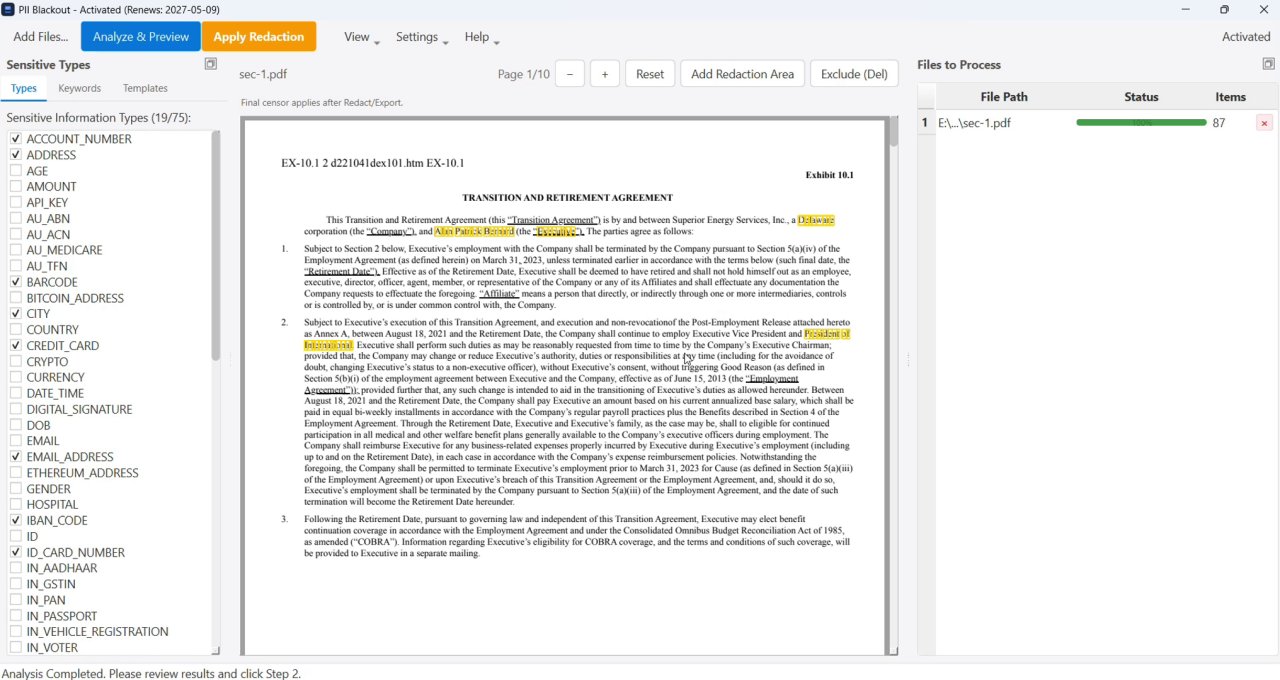
If you need a desktop tool for removing PII from documents, PII Blackout runs on Windows and Mac and does not upload the file. It auto-detects names, SSNs, bank accounts, and credit card numbers, lets you review matches, and permanently removes them. For the broader product category, see PII redaction software; for definitions, see what is PII redaction.
- Client files and financial records stay on your machine during processing
- No third-party servers reading your bank statements or legal documents
- Better fit for law firms, accountants, HR teams, and small businesses
- Works after sign-in even when Wi‑Fi is disconnected
- Person names, emails, phone numbers, and addresses
- US Social Security numbers, bank accounts, and routing numbers
- Credit card numbers and custom keywords you define
- 70+ entity types with review before permanent redaction
Who offline PII removal is for
Searchers for offline PII removal usually already know uploads are risky. The question is whether a desktop tool fits their document volume and risk profile:
- Law firms & solo attorneys: discovery exports and privilege reviews cannot sit on consumer upload sites. Offline detection plus review before apply reduces sanctions risk—see legal eDiscovery.
- CPAs & bookkeepers: client bank and credit card PDFs need account identifiers gone before they go to landlords, lenders, or co-counsel—without uploading the full statement to a free website.
- HR & people ops: resumes, offer packets, and benefits PDFs carry SSNs and home addresses. Local redaction keeps employee data inside the company network.
- Landlords & property managers: tenant screening packs often need a Relevé bancaire rédacté : quoi noircir with balances or account numbers hidden—processed on your desktop, not a random “free redact PDF” site.
Offline workflow: detect → review → apply → verify
Offline PII removal is only useful if the pipeline is repeatable. PII Blackout follows four steps on your machine:
- Detect — open the PDF locally; auto-find names, SSNs, accounts, cards, and custom keywords (automatic PII detection).
- Review — deselect false positives, add manual boxes for edge cases (logos, handwritten notes, odd layouts).
- Apply — permanently remove underlying content, not a floating black shape.
- Verify — search and Ctrl+A / paste the export; confirm redacted values are gone (Le texte noirci d'un PDF peut-il être récupéré ?).
Need the same rules across a folder of statements or HR files? Continue with bulk PII redaction / batch PDF blackout.
Online PII removal vs offline desktop
Many free tools promise quick PII removal but require you to upload the PDF first. That upload is the risk: retention policies, third-party access, and accidental exposure of privileged or regulated data. Offline PII removal means detection and redaction run locally—you review matches, apply blackout, and export a clean copy without the original file ever leaving your control.
| Criteria | Free online tools | Offline desktop (PII Blackout) |
|---|---|---|
| File location | Uploaded to a third-party server | Stays on your Windows or Mac machine |
| Retention / access risk | Depends on unknown vendor policies | No cloud copy created for processing |
| True permanent redaction | Often visual overlays only | Removes underlying text; review before apply |
| Batch / folders | Usually one file at a time | Folder rulesets for recurring document types |
| Best for | Non-sensitive samples or demos | Client, HR, financial, and discovery PDFs |
Full tool comparison: PDF redaction alternatives. Upload risks in detail: Rédaction PDF en ligne : risques et alternatives plus sûres.
Common document workflows
- Bank & billing: Relevé bancaire rédacté : quoi noircir · Relevé de facturation rédacté : exemple · Noircir un relevé de carte bancaire PDF
- Scans / OCR: OCR-Based Redaction for Scanned PDFs · Comment rédacter un PDF scanné (OCR requis)
- Legal & medical: eDiscovery · PHI / HIPAA · Comment rédacter des documents juridiques en toute sécurité
- Basics: Noircir le texte d’un PDF pour qu’il ne se copie plus · Comment supprimer les métadonnées d'un PDF