
Bijgewerkt 2026-06-06
Online PDF-redaction: risico’s en veiligere alternatieven
Gratis online PDF-redactiontools scoren hoog in zoekresultaten omdat ze directe resultaten beloven zonder software te installeren. Voor een boodschappenbon kan dat volstaan. Voor klantbankafschriften, medische dossiers of discovery-producties is het uploaden van het volledige bestand naar een server van derden vaak het grotere risico—en veel sites tekenen alleen zwarte vakken zonder tekst te verwijderen. Deze gids legt uit wat er gebeurt wanneer u PDF online redigeert, hoe tools te beoordelen, en wanneer een offline desktop-workflow niet onderhandelbaar is—vergelijk hoe een PDF zonder Adobe te redigeren en gratis download blackout PDF-opties.
- → Is online PDF redaction safe?
- → Do free online redact PDF tools actually remove text?
- → What are the risks of uploading PDFs to redaction websites?
- → Online vs offline PDF redaction for lawyers and accountants?
- → How do I redact a PDF without uploading it?
Two separate risks
- Data exfiltration: entire PDF uploaded to vendor servers, possibly logged or retained.
- False security: overlay black boxes while text remains extractable after download.
- Terms of service: some tools claim rights to process or store uploads.
- No audit trail: enterprise compliance may forbid browser upload workflows.
Worst case: your file lives on someone else’s server AND recipients can still copy “redacted” text.
Evaluating an online redaction tool
| Question | Pass | Fail |
|---|---|---|
| Does file stay local? | Client-side / WASM processing | Must upload to server |
| True removal? | Apply/burn content; paste test passes | Draw shape only |
| Regulated data OK? | BAA/SOC2 if healthcare | Generic free tier |
| Verification docs? | Explains flatten/apply step | “Secure redact” marketing only |
When offline is required
- Bank statements, tax forms, loan applications.
- Medical records (HIPAA) and insurance EOBs.
- Legal discovery, court filings, FOIA responses.
- HR files with salary and SSN.
- Any document your policy marks confidential.
If you must use a web tool
- Use only for non-sensitive, public documents.
- Confirm client-side processing in vendor docs.
- Download output and run Ctrl+A paste test.
- Scrub metadata on the downloaded file.
- Never use for credentials, health, or financial PII.
Stapsgewijze workflow
- Classify document sensitivity before choosing tool.
- If PII/PHI/confidential: use offline desktop redaction.
- If low-risk: verify tool removes text, not overlay.
- Paste test and Find search on output.
- Scrub metadata before share.
Veelgemaakte fouten
- Trusting “secure” badges without paste test
Marketing labels do not guarantee content removal.
- Uploading client files to free tiers
Violates bar rules, HIPAA, and firm IT policy in many cases.
Controle vóór delen
- ✓ File never uploaded for regulated data (policy check).
- ✓ Paste test clean on downloaded output.
- ✓ Metadata reviewed if file touched a web service.
Offline-tooloptie
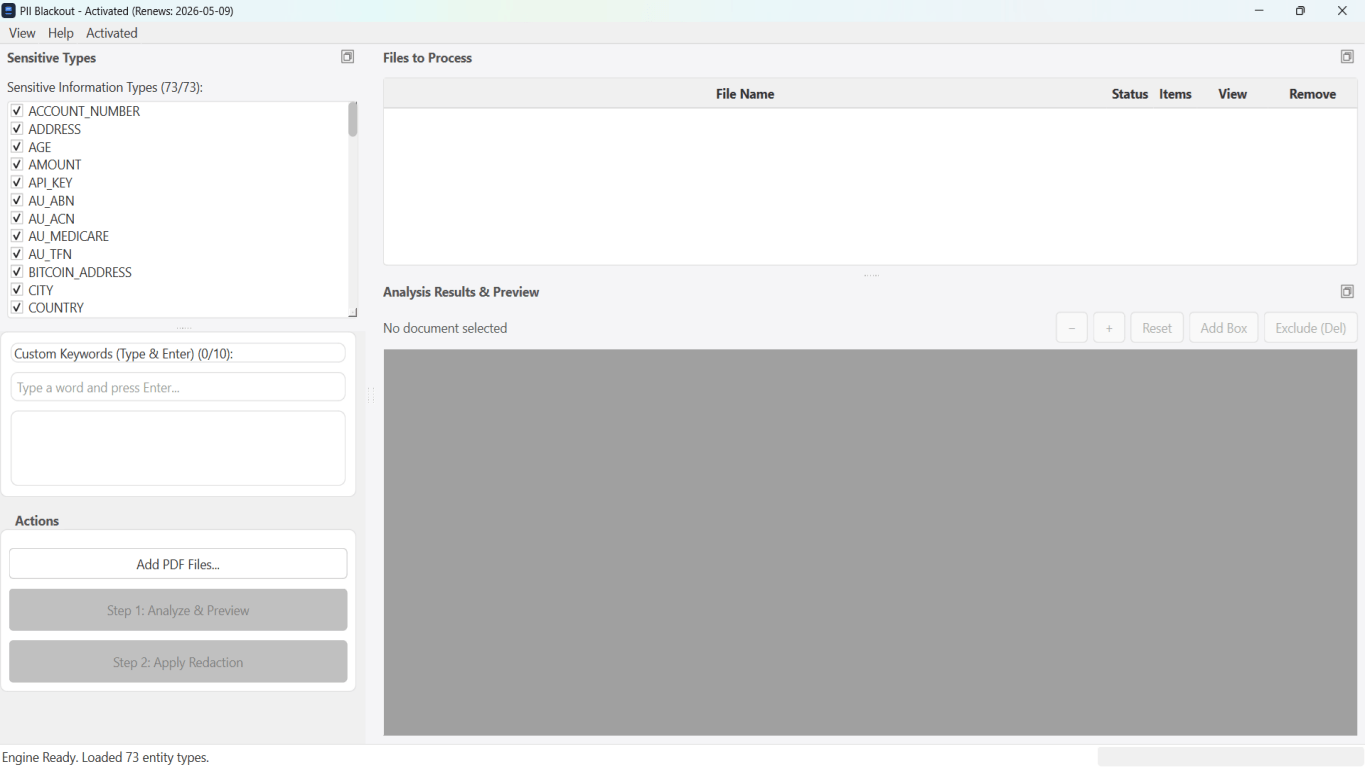
Voor bankafschriften, juridische producties, HR-bestanden en andere risicovolle PDF’s detecteert desktopsoftware met offline PII-verwijdering identifiers, laat u matches controleren en permanente redactie toepassen zonder cloud-upload. PDF-redactiehub en bulk PII-redactie helpen bij hele mappen.
Gratis proefversie downloadenFAQ
Are there any safe online PDF redactors?
Some use client-side processing, but verify independently. For PII, offline desktop tools are the safer default.
Is online redaction OK for personal use?
Lower risk for non-sensitive docs—but still run paste test. Never upload tax or medical PDFs to random free sites.