
Aktualisiert 2026-09-26
Word-Dokument-Schwärzung: Definition, Risiken & Workflow
Word-Dokument-Schwärzung bedeutet dauerhaftes Entfernen sensibler Informationen aus Microsoft-Word-Dateien—nicht schwarzes Markieren. Schritte: So schwärzen Sie ein Word-Dokument; Mythen: Text in Word schwärzen; Überblick: Word- & Excel-Hub.
- → What is Word document redaction?
- → How is Word redaction different from highlighting?
- → What are the risks of redacting in Microsoft Word?
- → Can .docx files be redacted securely offline?
- → When should Word redaction use PDF instead?
Definition: Word document redaction vs visual cover-up
In professional settings, Word document redaction means the sensitive characters are gone from the file the recipient opens. A reviewer who uses Find, copies a paragraph, unzips the OOXML package, or runs Compare Documents should not reconstruct the original secret. Black highlight, white font, and opaque shapes fail that test because they only change how Word paints the page.
If you can still Find the Social Security number after “redaction,” you do not have Word document redaction—you have formatting.
| Claim people make | What actually happened | Verdict |
|---|---|---|
| “I blacked it out in Word.” | Highlight or shape overlay | Not redaction |
| “I changed the font to Wingdings.” | Characters still in XML | Not redaction |
| “I deleted the sentence.” | May still exist in revisions/comments | Incomplete until cleaned |
| “We replaced PII spans and deep-cleaned.” | Text removed/replaced in .docx | Redaction (verify) |
| “We exported PDF and Applied redactions.” | PDF content removed/burned | Redaction for PDF share |
Why Word document redaction matters for firms and SMBs
Solo attorneys, HR leads, and bookkeepers live in Word. Demand letters, settlement drafts, offer letters, and vendor contracts start as .docx long before anyone opens Acrobat. If your only redaction skill is “select → highlight black → email,” you will eventually ship recoverable PII. Courts and reporters have repeatedly extracted “blacked out” text from poorly prepared files; Office formats are no safer when the same visual habits are applied.
- Ethics / confidentiality: client identity and matter details must not travel in revisions.
- Employment law: offer letters and write-ups contain SSNs, salaries, and medical notes.
- Commercial negotiation: pricing schedules leak via comments and prior versions.
- Vendor diligence: security questionnaires ask how you sanitize documents before sharing.
Anatomy of a .docx leak
A modern Word file is a zip of XML parts. Body text sits in document.xml; headers and footers have their own parts; comments, footnotes, endnotes, and custom XML can each hold copies of the same identifier. Redaction that only edits the paragraph you see on screen is incomplete by design.
| Part / feature | Typical secret | Redaction note |
|---|---|---|
| Body paragraphs / tables | SSN, account #, diagnosis | Primary target for text replacement |
| Headers & footers | Matter number, email, phone | Must be searched explicitly |
| Comments & ink | Client nicknames, strategy | Delete or scrub before share |
| Tracked changes | Prior full SSN before “edit” | Accept/reject + clean |
| Hyperlinks | URL with case ID or email | Clear or rewrite targets |
| Embedded worksheets | Salary grid inside letter | Treat as Excel problem or PDF |
| Core properties | Author = attorney email | Scrub for external packs |
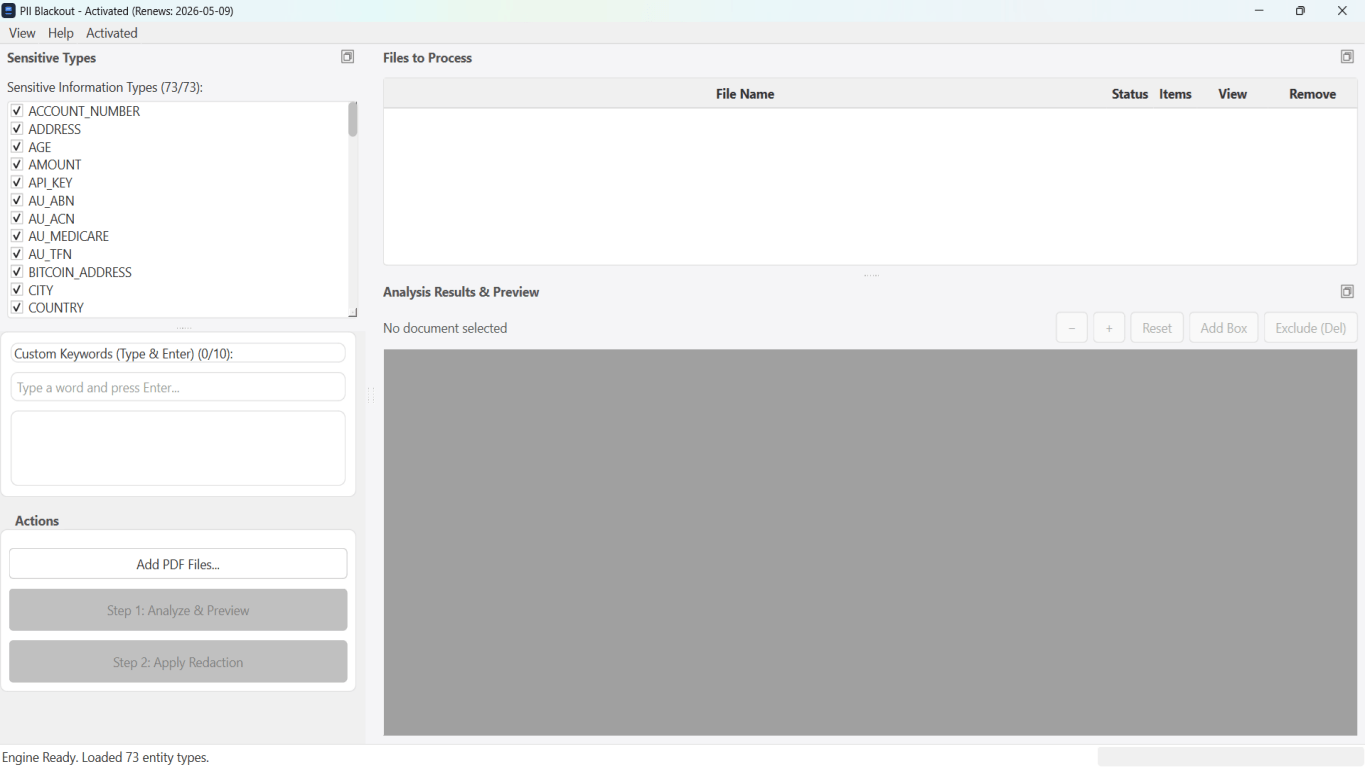
A durable Word document redaction workflow
- Policy: name the recipient and the minimum fields they need.
- Custody: keep an unredacted original; redact only a working copy.
- Authoring cleanup: resolve track changes; remove unnecessary comments.
- Detection: run PII + keyword analysis on the .docx (offline for confidential files).
- Human review: keep intentional legal names; drop false positives.
- Apply: permanently replace confirmed spans; deep-clean hidden revision data when available.
- Verify: Find, copy-paste, headers/footers, embeds.
- Package: send redacted .docx or a verified PDF depending on the channel.
- Log: note what categories were removed if counsel or compliance requires it.
Text-layer Word document redaction does not rewrite pixels inside screenshots. If a pasted bank portal image shows an account number, replace the image or finish in PDF with page-level blackout.
When Word document redaction should finish as PDF
Native .docx redaction is ideal when collaboration continues. Switch to PDF when the counterparty must not edit, when a portal only accepts PDF, or when embedded images dominate the risk. Exporting first and then using true PDF redaction is still the gold standard for many litigation productions—see how to redact a PDF and document redaction best practices.
| Channel | Prefer |
|---|---|
| Co-counsel still editing exhibits | Redacted .docx |
| Court e-file / FOIA release | Redacted PDF |
| HRIS vendor onboarding sample | Redacted .docx or PDF — never raw HR export |
| Public blog “example letter” | Heavily redacted PDF + legal review |
Tooling landscape (honest comparison)
| Approach | Fits Word document redaction? | Caveat |
|---|---|---|
| Manual delete + Inspect Document | Partial | Easy to miss headers/comments |
| Highlight / shapes | No | Recoverable text |
| Offline .docx PII redaction | Yes | Review images/embeds |
| Adobe on exported PDF | Yes for PDF path | Requires clean export first |
| Consumer upload sites | Risky | Confidential .docx leaves your network |
For a non-confidential sample, try Word in the online demo. For client files, use offline desktop processing so documents never leave your PC—same review-before-apply pattern as PDF batch jobs.
Schritt-für-Schritt-Workflow
- Define recipient + minimum necessary fields.
- Work on a copy; preserve the unredacted original.
- Clear track changes/comments that should not travel.
- Detect PII and custom keywords in the .docx.
- Review every hit; apply permanent replacement.
- Verify Find/copy across body, headers, footers, embeds.
- Choose .docx vs PDF package for the channel.
- Transmit redacted output only; record what was removed if required.
Häufige Fehler
- Equating “looks black on screen” with redaction
Highlight and shapes fail Find and Compare Documents tests.
- Redacting the body but not the footer
Matter emails and phone numbers repeat on every page.
- Shipping the working file with Track Changes still on
Your entire edit history of the secret travels with the document.
- Ignoring embedded spreadsheets
A letter can carry a full payroll grid as an embed—treat it as Excel risk.
Prüfung vor dem Teilen
- ✓ Find(original identifiers) returns no hits.
- ✓ Copy-paste of former secret regions yields mask/empty.
- ✓ No PII in comments or unresolved revisions.
- ✓ Headers/footers and text boxes checked.
- ✓ Images/embeds spot-checked or handled via PDF.
- ✓ Only redacted files are attached outbound.
Offline-Tool-Option
Für Bankauszüge, juristische Produktionen, HR-Dateien und andere risikoreiche PDFs erkennt Desktop-Software mit Offline-PII-Entfernung Kennungen automatisch, lässt Sie Treffer prüfen und permanente Schwärzung ohne Cloud-Upload anwenden. PDF-Schwärzungs-Hub und Massen-PII-Schwärzung helfen bei ganzen Ordnern—nicht Datei für Datei.
Kostenlose Testversion ladenFAQ
What is Word document redaction?
It is permanently removing or replacing sensitive text in a Word file so recipients cannot recover it via Find, copy, Compare, or file inspection—unlike highlight or cover shapes.
Is Microsoft Word enough for secure redaction?
Word alone does not provide a reliable true-redaction workflow. Use native .docx replacement tools with verification, or export to PDF and apply true PDF redaction.
Can I redact .docx offline?
Yes. Offline desktop redaction keeps confidential Word files on your machine, with human review before apply—preferred for legal, HR, and financial correspondence.
Does Word document redaction remove metadata?
Good workflows include deep cleaning of revisions and properties. Always check File → Info after export; do not assume body redaction scrubbed Author fields.
How is this different from PDF redaction?
Word redaction targets OOXML text parts and keeps a Word file. PDF redaction targets PDF content streams or burned page images. Choose based on whether the recipient needs an editable document.
- So schwärzen Sie ein Word-Dokument (.docx) sicher
- Text in einem Word-Dokument sicher schwärzen
- So schwärzen Sie Word- und Excel-Dokumente (Hub)
- So schwärzen Sie eine Excel-Tabelle (.xlsx)
- Excel-Schwärzung: Sensible Tabellendaten dauerhaft entfernen
- So schwärzen Sie einen Vertrag ohne rechtliches Risiko
- So schwärzen Sie Rechtsdokumente sicher
- So schwärzen Sie ein PDF
- Best Practices für Dokumentenschwärzung