
Aktualisiert 2026-08-29
So schwärzen Sie Rechtsdokumente sicher
Rechts-PDFs—Klagen, Korrespondenzproduktionen, Vertragsanlagen—tragen Anwaltsgeheimnis, Work Product, Partei-PII und Geschäftsgeheimnisse in Fußzeilen, Bates-Bereichen und Anhangsbündeln. Eine wiederherstellbare Social-Security-Nummer in einer 500-Seiten-Produktion kann Sanktionen oder Privilege-Waiver-Argumente auslösen. Logikcull und Bar-Publikationen wiederholen dieselbe Lektion: Markierwerkzeuge und schwarze Kästen sind keine Schwärzung. Um die Erkennung an einem Produktions-PDF zu testen, testen Sie die Rechtsdokument-Vorlage online—Namen, SSNs und Finanzidentifikatoren sind bereits ausgewählt. Kombinieren Sie mit dem Legal-eDiscovery-Workflow und So schwärzen Sie ein PDF, bevor die Gegenseite QC durchführt.
- → How do law firms redact PDFs for discovery production?
- → How do I handle redaction of privilege documents?
- → What is the difference between redaction and highlighting in legal documents?
- → Do I need a privilege log for every redaction?
- → Can uploading privileged PDFs to online redactors waive confidentiality?
What lawyers redact in practice
| Category | Examples | Typical basis |
|---|---|---|
| Party & non-party PII | SSN, DOB, home address, account numbers, employee IDs, minor names | Protective order, FRCP 5.2-style rules, privacy |
| Attorney-client privilege | Legal advice passages, strategy emails attached as PDF | Privilege—often withheld entirely vs. partial redact |
| Work product | Internal analysis, interview notes, litigation strategy | Work product doctrine |
| Confidential business info | Pricing, customer lists, trade secrets | Protective order, NDA |
| Irrelevant medical / financial detail | Diagnosis codes, unrelated account history | Relevance + proportionality |
Partially privileged documents need line-level judgment: redact only privileged segments while producing responsive non-privileged content. Predominantly privileged documents may be withheld entirely with a privilege log entry instead of a public redacted PDF—follow your jurisdiction and meet-and-confer agreements.
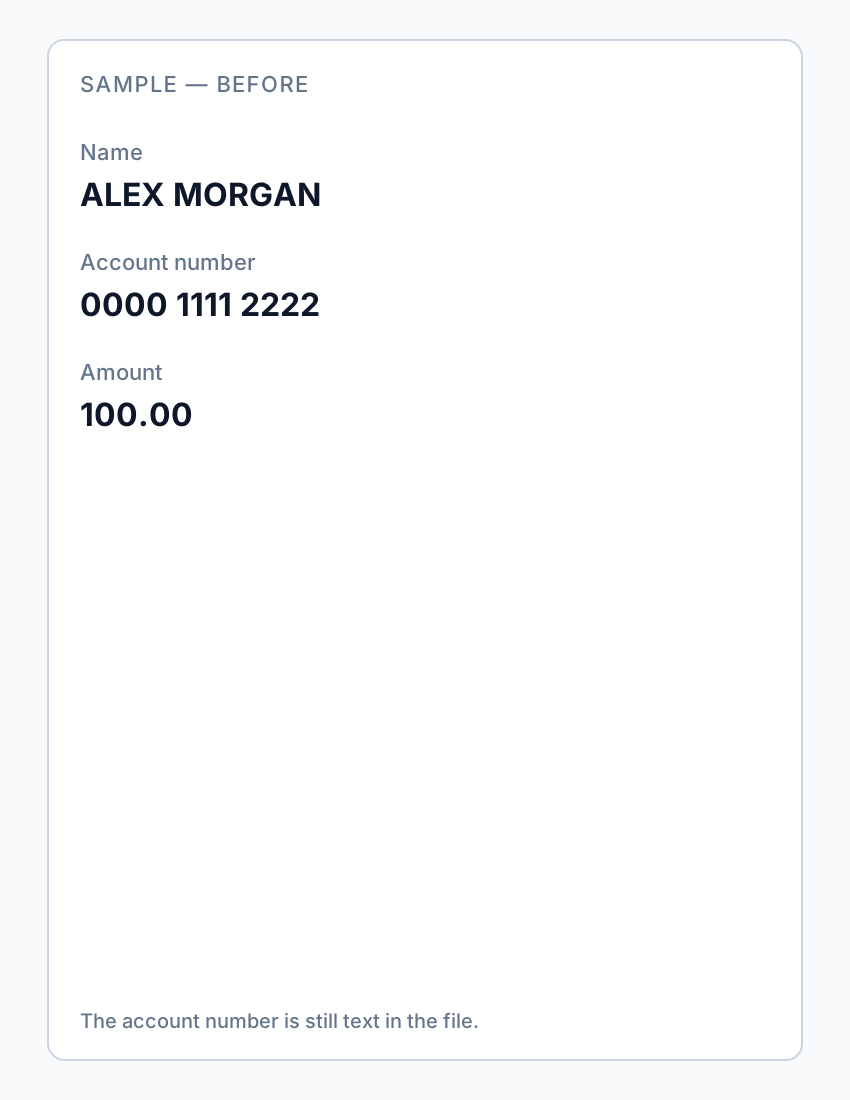
Production-grade vs. informal sharing
Court-facing productions require searchable redacted PDFs (where stipulated), consistent “REDACTED” labels if local rules demand them, OCR on scan exhibits, and documented reason codes tied to privilege logs. Informal client sharing feels lighter—but clients forward files. Treat any PDF leaving the firm with PII or strategy material as production-grade unless counsel says otherwise.
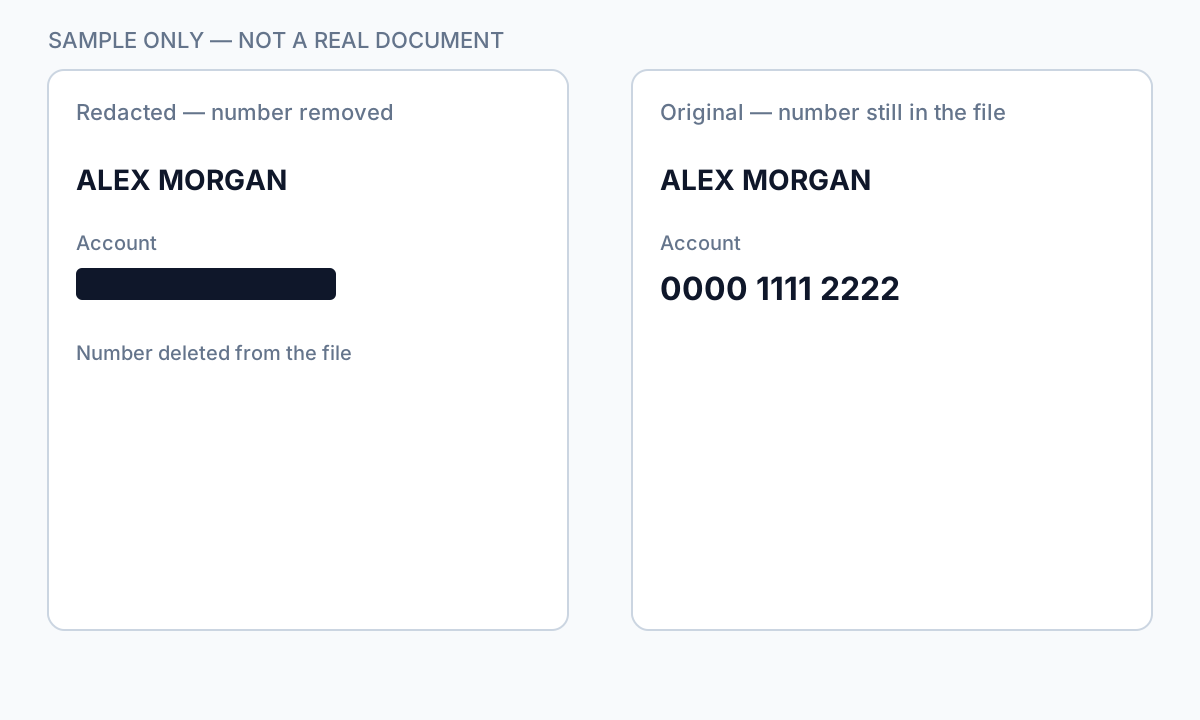
If opposing counsel extracts “redacted” legal advice via copy-paste, waiver arguments follow. True content-stream removal plus QC search passes are malpractice prevention—not optional polish.
Why offline processing for privileged content
Uploading privileged PDFs to consumer cloud redactors sends matter content through third-party infrastructure—conflicts with firm IT policy, client engagement terms, and confidentiality arguments. Desktop redaction on firm hardware (or encrypted VM) preserves custody. Batch offline tools still support paralegal review queues without exfiltrating the production set.
- Work only on copies; preserve unredacted originals in matter DMS.
- Never redact the only version—Save As to production folder.
- Avoid free upload sites for discovery sets—even “delete after processing” claims.
- Log tool version and profile used for defensibility.
Standard firm workflow
- Apply matter redaction protocol (protective order, ESI order, internal playbook).
- Define reason codes: PRIV, WP, PII, CONF, IRRELEVANT—consistent across reviewers.
- Run automated PII detection on responsive set; queue exceptions for attorney review.
- Manually redact privilege passages and case-specific identifiers (internal codenames).
- Bates-number after redaction completes if protocol requires—stamping before review locks mistakes.
- Generate privilege log entries: document ID, date, author, recipients, basis for each withhold/redact.
- Second-pass QC: keyword search for SSN patterns, party names that should be gone, “@” emails.
- Random sample: minimum 5% of pages or 10 documents—human read.
- Deliver via secure file transfer approved by firm IT.

Common legal redaction failures (from meet-and-confer)
- Highlighter or Comment black boxes—text copies out in Acrobat.
- Redacting the main brief but not exhibit PDFs (where most PII volume lives).
- Missing metadata: Author field still shows associate email.
- Inconsistent redaction of co-counsel or witness names across related docs.
- Scanned exhibits with visible SSN but no OCR—auto tools return zero matches.
- Adobe marked for redaction but never clicked Apply Redactions.
They will Ctrl+A, copy, and search your production. Run the same tests before you send—treat it as adversarial QA.
Privilege logs and partial productions
Each withheld or partially redacted document needs a log entry courts can scrutinize: Bates range or unique ID, document date, author, recipients, description sufficient to assess the claim without revealing privileged content, and privilege type asserted. Automated redaction logs (match counts, profile version) supplement—but do not replace—attorney privilege logs.
Schritt-für-Schritt-Workflow
- Read protective order and ESI order for this matter’s redaction requirements.
- Copy responsive documents to a production working folder—never edit DMS originals in place.
- Assign reason codes; run PII auto-detection across the set.
- Attorney review for privilege and work product segments.
- Apply true redaction; label “REDACTED” if local rules require.
- Bates-stamp production copies if protocol specifies post-redaction numbering.
- Complete privilege log for withheld and partially redacted documents.
- QC: SSN regex search, copy test on sample, metadata scrub.
- Transmit via firm-approved secure channel; retain working copies per retention policy.
Häufige Fehler
- Redacting only the complaint PDF
Exhibits, email attachments, and ZIP productions carry most PII. Process the whole responsive set.
- Using highlighter in PDF viewers
Discovered at meet-and-confer when opposing counsel copies “redacted” strategy paragraphs.
- Cloud upload redactors on privileged sets
Violates firm policy and weakens confidentiality arguments. Use offline desktop tools.
- No second-pass search
One missed nine-digit string in footnote 14 of exhibit G is enough for a motion to compel or sanctions briefing.
Prüfung vor dem Teilen
- ✓ SSN / account pattern search returns zero on production export.
- ✓ Privilege passages cannot be copied from beneath redacted areas.
- ✓ Privilege log complete for each withhold/partial redact.
- ✓ Bates sequence continuous if applicable.
- ✓ Metadata Author/Creator reviewed or scrubbed.
- ✓ 5% random sample human-read; scans visually inspected.
Try the Legal Document template online
Use the Legal Document preset to detect parties, addresses, IDs, and contact fields—without routing numbers that false-positive on fund CUSIPs.
Die Vorlage Rechtsdokument ist für diesen Leitfaden vorausgewählt. Laden Sie eine Beispieldatei hoch, um Treffer zu sehen—für vertrauliche Batch-Jobs die Desktop-App herunterladen.
Online schwärzen — RechtsdokumentOffline-Tool-Option
Für Bankauszüge, juristische Produktionen, HR-Dateien und andere risikoreiche PDFs erkennt Desktop-Software mit Offline-PII-Entfernung Kennungen automatisch, lässt Sie Treffer prüfen und permanente Schwärzung ohne Cloud-Upload anwenden. PDF-Schwärzungs-Hub und Massen-PII-Schwärzung helfen bei ganzen Ordnern—nicht Datei für Datei.
Kostenlose Testversion ladenFAQ
What is redaction of privilege documents in eDiscovery?
It means permanently removing (or withholding) attorney-client and work-product content from a production set, logging each withhold/partial redact, and verifying opposing counsel cannot recover text under black boxes. Privilege often requires withholding the whole document—not just painting over a paragraph.
Do redactions need a “REDACTED” label?
Many courts and protective orders require it. Check local rules and your order—some specify bracket text or footer labels.
Can improper redaction waive attorney-client privilege?
Extractable privileged text after a “redacted” production supports waiver arguments. True redaction plus QC reduces that risk; consult ethics rules for your jurisdiction.
Should we Bates-number before or after redaction?
Most protocols stamp after redaction review completes so you do not lock pre-redaction pages into the record incorrectly.
Is Adobe Acrobat Pro required for legal redaction?
Many firms use it with Apply Redactions and Sanitize. Offline alternatives with auto-detection and batch folder processing work for SMB firms if they pass copy/search QC the same way.
- So schwärzen Sie Gerichtsunterlagen
- So schwärzen Sie einen Vertrag ohne rechtliches Risiko
- So schwärzen Sie PDFs im Batch
- So schwärzen Sie vertrauliche Dokumente
- So schwärzen Sie ein PDF ohne Adobe
- So schwärzen Sie Krankenakten (HIPAA-sicher)
- Best Practices für Dokumentenschwärzung
- So schwärzen Sie ein PDF in Adobe Acrobat
- So entfernen Sie Metadaten aus PDF
- So schwärzen Sie ein gescanntes PDF (OCR erforderlich)