
Bijgewerkt 2026-09-26
Een Word-document (.docx) veilig redigeren
Zwarte markering, wit lettertype en vormen laten tekens in de .docx-XML staan. Modern Word (.docx) kan worden geredigeerd door gevoelige tekst te vervangen. Voor pixelzwarting: exporteer naar PDF. Zie Word-documentredactie.
- → How do I redact a Word document before sharing?
- → Does black highlight in Word redact text?
- → Can I redact a .docx without converting to PDF?
- → Do comments and track changes leak after redaction?
- → What is the safest way to remove PII from Word?
What “redact a Word document” actually means
Redacting a Word document means permanently removing or replacing sensitive text so a recipient who opens the .docx cannot recover the original words—by copy-paste, Find, Compare Documents, or unzipping the OOXML package. Visual cover-up is not redaction. If the characters still exist in document.xml (or related parts), the file is still unsafe to send.
This guide targets modern Word format (.docx). Legacy .doc binaries are a different problem—convert to .docx or PDF first, then redact. Prefer offline tools for client or regulated files; use the browser demo only on non-confidential samples.
| Method | Looks redacted? | Actually safe? |
|---|---|---|
| Black highlight / black font on black background | Often yes | No — text remains selectable |
| Drawing shape or text box over words | Yes | No — underlying runs remain |
| Delete text and type XXXX manually | Yes | Partial — easy to miss headers, comments, revisions |
| True .docx text redaction (replace + deep clean) | Yes | Yes for body text — verify pictures/embeds |
| Export clean PDF → true PDF blackout | Yes | Yes for filings that need irreversible image pages |
Where Word leaks after a “clean” looking page
- Tracked changes and revision marks (deleted text is still in the file until accepted/rejected and cleaned).
- Comments, ink, and @mentions with editor names and quoted PII.
- Headers, footers, and first-page vs odd/even variants.
- Text boxes, shapes with text, and content controls.
- Hidden text, collapsed outline levels, and white font on white.
- Hyperlinks whose display text is clean but whose target URL contains a case ID or email.
- Embedded Excel objects or pasted tables that still hold live cells.
- Custom document properties and Author / Last Modified By metadata.
If you only highlighted sensitive paragraphs, a colleague can still run Review → Compare and reconstruct what you covered. Treat highlight as a drafting aid—never as the shareable deliverable.
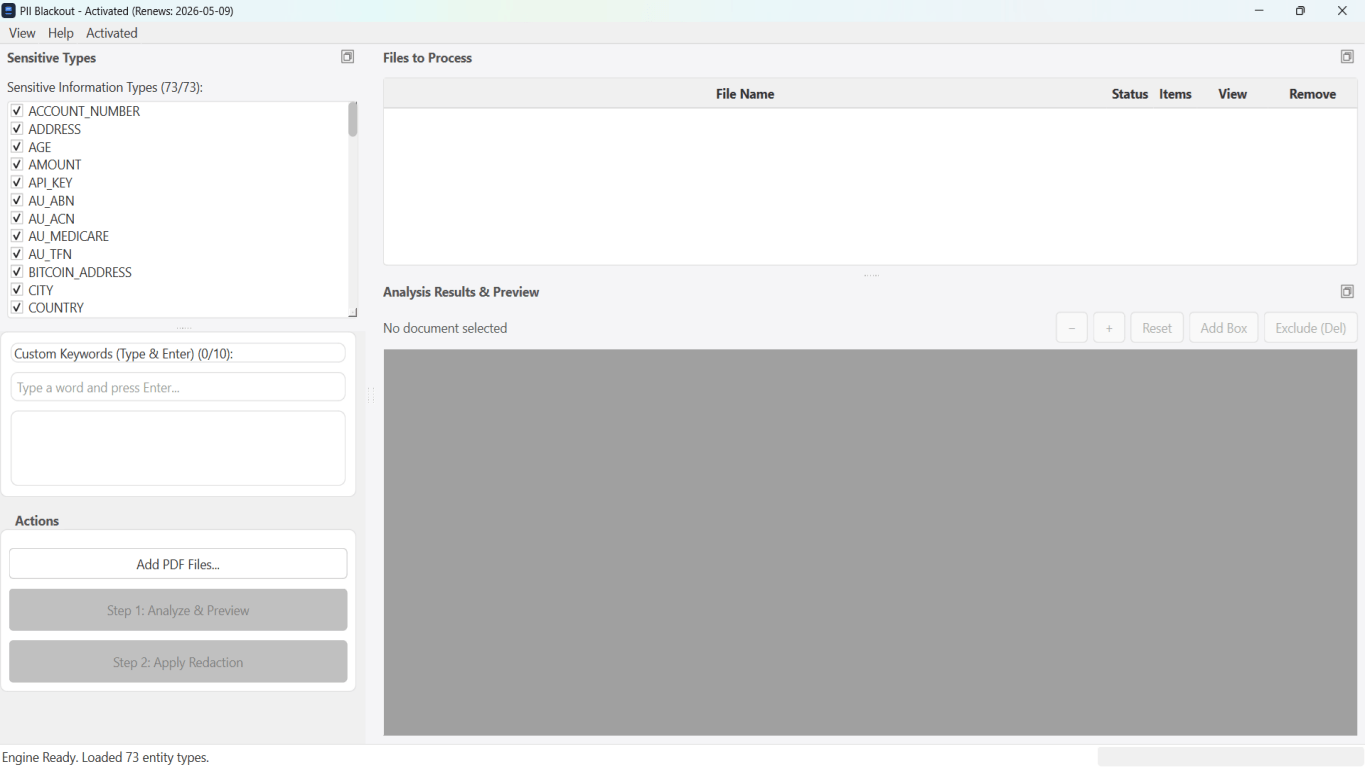
Two safe paths: native .docx vs PDF blackout
Pick the path that matches how the file will be used. Native .docx redaction keeps an editable Word file with sensitive strings replaced in the document text—useful when counsel still needs to edit non-sensitive clauses. PDF blackout burns pages to irreversible images (or removes PDF text streams)—useful for court portals, opposing counsel productions, and any share where “editable source” is a liability.
| Need | Prefer |
|---|---|
| Share a still-editable Word file with names/SSNs removed | Native .docx redaction + deep clean |
| Court / eDiscovery / FOIA-style permanent black bars | Clean export → true PDF redaction |
| Batch of mixed Word + Excel + PDF in one folder | Offline desktop app with multi-format support |
| Quick sample on a non-confidential file | Online demo (Word supported) |
Pictures, charts, and many embedded objects are left unchanged. If a screenshot inside the document shows an SSN, black that image out separately, replace the image, or export to PDF and redact the page as an image.
Offline workflow for how to redact a Word document
- Save a pristine original outside the share folder (never overwrite your only copy).
- Accept or reject tracked changes; delete comments you do not need for the recipient.
- Open the .docx in an offline redaction tool that supports modern Word.
- Select PII types (names, SSNs, phones, emails, account numbers) and add case-specific keywords.
- Run Analyze; review every hit—deselect false positives in definitions or exhibit titles you must keep.
- Apply redaction so sensitive spans are replaced in the document text; enable deep clean for revisions/metadata when available.
- Open the output .docx: Find the original SSN/name; copy a paragraph that should be gone; confirm it fails.
- Spot-check headers, footers, tables, and hyperlink targets.
- If the recipient requires PDF, export the redacted Word file—or start from a clean PDF and apply PDF blackout.
- Share only the redacted export; keep the original offline under access control.

Field checklist by document type
| Word file type | Usually redact | Often keep |
|---|---|---|
| Client letter / demand | SSN, account #, home address, DOB | Public case caption if already filed |
| Contract draft for RFP sample | Pricing, party legal names, notices | Boilerplate structure, defined-term shells |
| HR offer / reprimand | SSN, salary if not required, home address | Role title, dates if policy allows |
| Medical / insurance letter | MRN, DOB, diagnosis detail beyond need | Provider letterhead if authorization requires it |
| Internal memo for board pack | Employee names, deal codes, emails | Non-identifying metrics leadership already knows |
Minimum necessary still applies: over-redacting a contract until it is unreadable wastes review time. Under-redacting one footer email wastes a breach response. Ask the recipient once what they need visible.
Tool comparison for Word redaction
| Approach | Safe for external share? | Notes |
|---|---|---|
| Word highlight / shapes | No | Recoverable via Find, copy, Compare |
| Manual Find-and-replace to XXXX | Risky | Misses headers, text boxes, comments, revisions |
| Inspect Document only | No | Metadata cleanup ≠ body PII removal |
| Native .docx redaction (offline) | Yes (with verify) | Replaces text in OOXML; review embeds/images |
| Export PDF → Acrobat / offline PDF redact | Yes | Best when the deliverable must be PDF |
| Free upload “Word redactor” sites | Risky | Confidential .docx leaves your network |
Stapsgewijze workflow
- Archive an unredacted original; work on a copy.
- Clear track changes and comments that should not travel with the file.
- Analyze the .docx with PII detection + custom keywords.
- Review highlights; keep intentional terms; remove false positives.
- Apply permanent text replacement; deep-clean revisions/metadata when offered.
- Verify with Find, copy-paste, and a second Word instance.
- Check images/embeds; re-work those separately if they show PII.
- Share only the redacted .docx or a verified PDF export.
Veelgemaakte fouten
- Black highlight treated as redaction
The highlight run property does not delete characters. Recipients paste into Notepad or Compare Documents and recover every SSN you “covered.”
- Sending DOCX after PDF-only redaction of a printout
If you print → mark → scan a PDF but still email the original Word file, the editable source undoes the work.
- Ignoring headers, footers, and first-page variants
Letterhead footers repeat emails and matter numbers on every page. Always Find across the whole document after redaction.
- Leaving tracked changes “just in case”
Unaccepted deletions and insertions are a complete edit history of the PII you tried to remove.
- Uploading client Word files to random websites
Attorney-client and employment files should stay on a controlled desktop. Use online demos only for throwaway samples.
Controle vóór delen
- ✓ Find(original SSN / full account number): zero hits in body, headers, footers.
- ✓ Copy a previously sensitive paragraph → paste into Notepad: masked or gone.
- ✓ Review → Track Changes is off; no lingering comments with PII.
- ✓ File → Info properties do not show unnecessary Author email if scrubbed.
- ✓ Embedded worksheets and images spot-checked for visible identifiers.
- ✓ Only the redacted export is attached—original stays offline.
Offline-tooloptie
Voor bankafschriften, juridische producties, HR-bestanden en andere risicovolle PDF’s detecteert desktopsoftware met offline PII-verwijdering identifiers, laat u matches controleren en permanente redactie toepassen zonder cloud-upload. PDF-redactiehub en bulk PII-redactie helpen bij hele mappen.
Gratis proefversie downloadenFAQ
Can I redact a Word document without converting to PDF?
Yes—modern .docx files can be redacted by permanently replacing sensitive text in the document XML and cleaning revisions/metadata. Verify with Find and copy-paste. Use PDF blackout when the recipient or court requires a non-editable PDF.
Is black highlight in Word the same as redaction?
No. Highlight and black-on-black font leave the original characters in the file. That is a visual effect, not redaction.
Does Inspect Document redact PII?
Inspect Document helps remove some hidden data and properties. It does not systematically remove names, SSNs, or account numbers from paragraph text.
What about pictures inside the Word file?
Native text redaction typically leaves pictures, charts, and many embeds unchanged. Replace or crop those assets, or export to PDF and redact the page as an image.
Should law firms prefer PDF for productions?
Often yes for formal productions—PDF plus true redaction and a privilege log is the expected package. Native redacted .docx is useful for collaborative drafts where editing must continue.
Can I try Word redaction before installing desktop software?
Yes. Use the free online demo on a non-confidential sample .docx, review detections, then download the offline app for client files and batch folders.
- Word-documentredactie: definitie, risico’s en workflow
- Tekst in een Word-document veilig zwart maken
- Word- en Excel-documenten redigeren (Hub)
- Een Excel-werkmap (.xlsx) redigeren
- Excel-redactie: gevoelige spreadsheetgegevens permanent verwijderen
- Hoe een contract te redigeren zonder juridisch risico
- Hoe HR-documenten te redigeren
- Hoe een PDF te redigeren
- Hoe metadata uit PDF te verwijderen
- Best practices voor documentredaction