
Mis à jour 2026-10-21
Flouter un PDF sans laisser fuir le texte
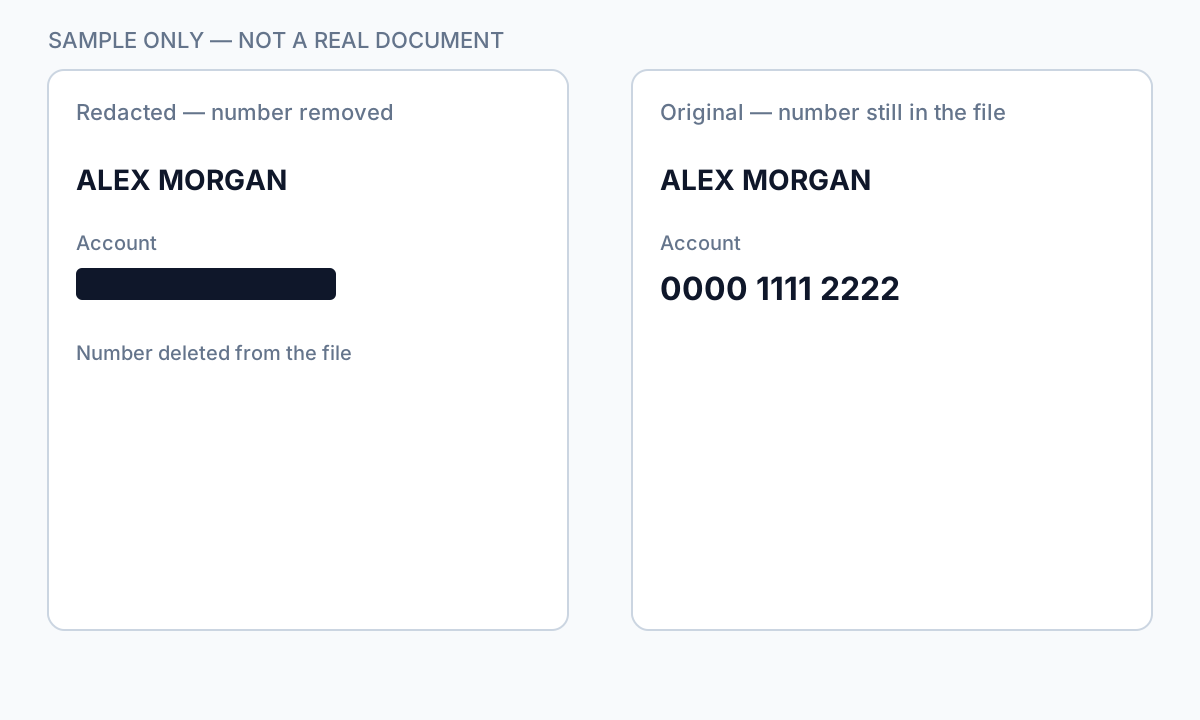
Ceux qui cherchent à flouter un PDF veulent généralement masquer des noms, des visages ou des numéros de compte avant de partager. Les filtres de flou changent l'apparence des pixels à l'écran—mais dans les PDF textuels, les caractères sous-jacents restent souvent dans la structure du fichier. Les outils de défloutage, l'OCR et le copier-coller peuvent récupérer ce qui semblait masqué en toute sécurité. Ce guide explique quand le flou aide (photos, régions numérisées), quand il échoue (texte sélectionnable) et comment passer à la vraie rédaction ou au noircissement d'informations dans un PDF pour les PII.
- → How do I blur text on a PDF?
- → Is blurring a PDF the same as redacting?
- → Can blurred PDF text be recovered?
- → Blur PDF online— is it safe for bank statements?
- → Should I blur or black out sensitive PDF text?
Blur vs redaction
| Method | Visual effect | Text extractable? |
|---|---|---|
| Gaussian blur on text layer | Soft edges | Often yes — text still in PDF |
| Blur on flat image scan | Pixel smear | Usually no — if no OCR layer added |
| Black box overlay | Hard cover | Yes — classic copy-paste leak |
| True redaction (Apply) | Solid black | No — content removed from stream |
If Ctrl+A → Copy → Paste returns readable text, blur did not protect the data.
When blur is acceptable
- Obscuring faces in photos embedded in PDF pages (plus verify no text caption names).
- Casual sharing where recovery risk is low and content is image-only.
- Draft review watermarks—not final production to opposing counsel.
For SSNs, account numbers, medical IDs, and legal party names, use true redaction—not blur tools marketed as “blur PDF online.”
Secure alternative workflow
- Identify whether PDF is text-native or scan/image.
- For text PDFs: use redaction with Apply, not blur.
- For scans: redact then export flat image if required.
- Verify with paste test and Find search.
- Scrub metadata before external share.
Flux étape par étape
- Determine if PDF has selectable text under the region.
- If yes, abandon blur—use true redaction.
- If image-only, blur or redact pixels then flatten export.
- Run Ctrl+A paste test.
- Search output for redacted strings.
Erreurs fréquentes
- Using blur for bank or tax PDFs
Text layer survives most blur effects.
- Online blur upload for client files
Full document leaves your device—use offline redaction.
Vérification avant partage
- ✓ Paste test returns no sensitive text.
- ✓ No OCR text layer under blurred image regions.
- ✓ Metadata scrubbed for external share.
Option outil hors ligne
Pour relevés bancaires, productions juridiques, RH et autres PDF à risque, un logiciel bureau avec suppression PII hors ligne détecte les identifiants, permet de revoir les correspondances et d’appliquer une rédaction permanente sans envoi cloud. hub de rédaction PDF et rédaction PII en lot aident pour des dossiers entiers.
Télécharger l’essai gratuitFAQ
Can I blur a PDF for free online?
You can, but free blur tools rarely remove underlying text and often require upload. Not suitable for regulated PII.
Is blur better than a black box?
Neither removes text in a native PDF. True redaction removes content; overlays and blur only change appearance.