
Actualizado 2026-10-21
Cómo desenfocar un PDF sin filtrar texto
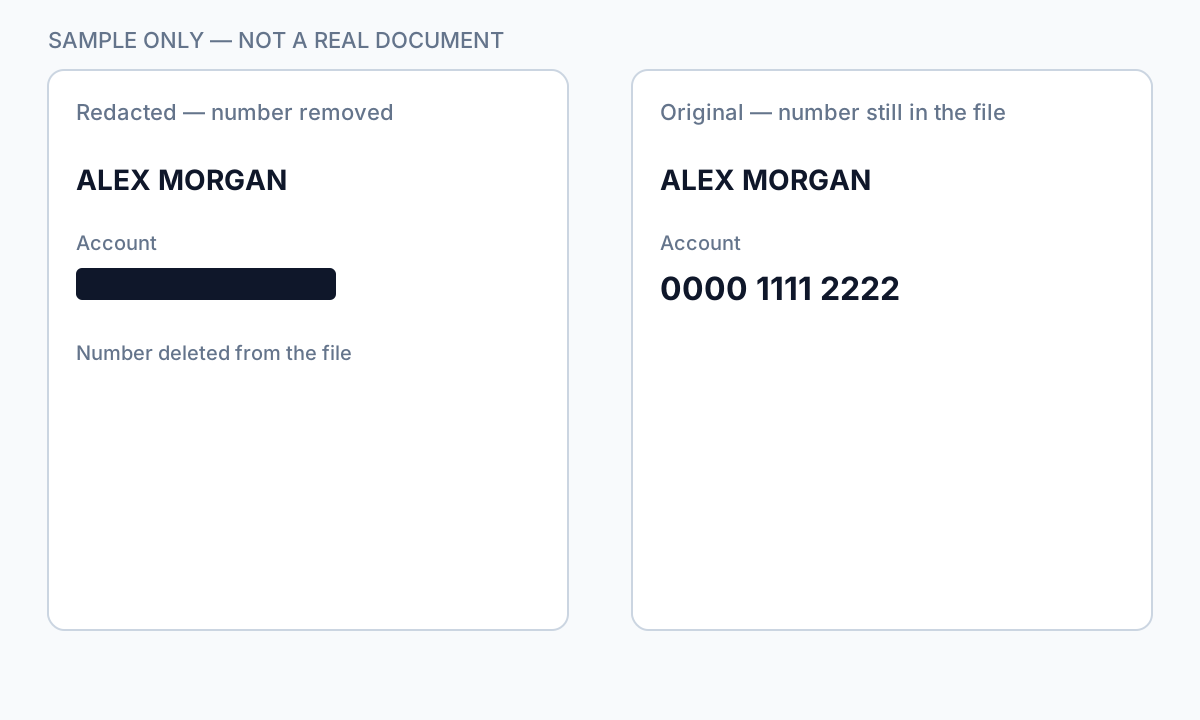
Quienes buscan desenfocar un PDF suelen querer ocultar nombres, rostros o números de cuenta antes de compartir. Los filtros de desenfoque cambian cómo se ven los píxeles en pantalla—pero en PDFs basados en texto los caracteres subyacentes suelen permanecer en la estructura del archivo. Herramientas de desenfoque inverso, OCR y copiar-pegar pueden recuperar lo que parecía oculto de forma segura. Esta guía explica cuándo ayuda el desenfoque (fotos, regiones escaneadas), cuándo falla (texto seleccionable) y cómo pasar a la redacción verdadera o a tachar información en un PDF para PII.
- → How do I blur text on a PDF?
- → Is blurring a PDF the same as redacting?
- → Can blurred PDF text be recovered?
- → Blur PDF online— is it safe for bank statements?
- → Should I blur or black out sensitive PDF text?
Blur vs redaction
| Method | Visual effect | Text extractable? |
|---|---|---|
| Gaussian blur on text layer | Soft edges | Often yes — text still in PDF |
| Blur on flat image scan | Pixel smear | Usually no — if no OCR layer added |
| Black box overlay | Hard cover | Yes — classic copy-paste leak |
| True redaction (Apply) | Solid black | No — content removed from stream |
If Ctrl+A → Copy → Paste returns readable text, blur did not protect the data.
When blur is acceptable
- Obscuring faces in photos embedded in PDF pages (plus verify no text caption names).
- Casual sharing where recovery risk is low and content is image-only.
- Draft review watermarks—not final production to opposing counsel.
For SSNs, account numbers, medical IDs, and legal party names, use true redaction—not blur tools marketed as “blur PDF online.”
Secure alternative workflow
- Identify whether PDF is text-native or scan/image.
- For text PDFs: use redaction with Apply, not blur.
- For scans: redact then export flat image if required.
- Verify with paste test and Find search.
- Scrub metadata before external share.
Flujo paso a paso
- Determine if PDF has selectable text under the region.
- If yes, abandon blur—use true redaction.
- If image-only, blur or redact pixels then flatten export.
- Run Ctrl+A paste test.
- Search output for redacted strings.
Errores comunes
- Using blur for bank or tax PDFs
Text layer survives most blur effects.
- Online blur upload for client files
Full document leaves your device—use offline redaction.
Verificación antes de compartir
- ✓ Paste test returns no sensitive text.
- ✓ No OCR text layer under blurred image regions.
- ✓ Metadata scrubbed for external share.
Opción de herramienta offline
Para extractos bancarios, producciones legales, RR. HH. y otros PDF de alto riesgo, el software de escritorio con eliminación de PII offline detecta identificadores, permite revisar coincidencias y aplicar redacción permanente sin subir a la nube. centro de redacción PDF y redacción PII en lote ayudan con carpetas enteras.
Descargar prueba gratuitaFAQ
Can I blur a PDF for free online?
You can, but free blur tools rarely remove underlying text and often require upload. Not suitable for regulated PII.
Is blur better than a black box?
Neither removes text in a native PDF. True redaction removes content; overlays and blur only change appearance.