
Atualizado 2026-10-21
Desfocar um PDF sem deixar vazar texto
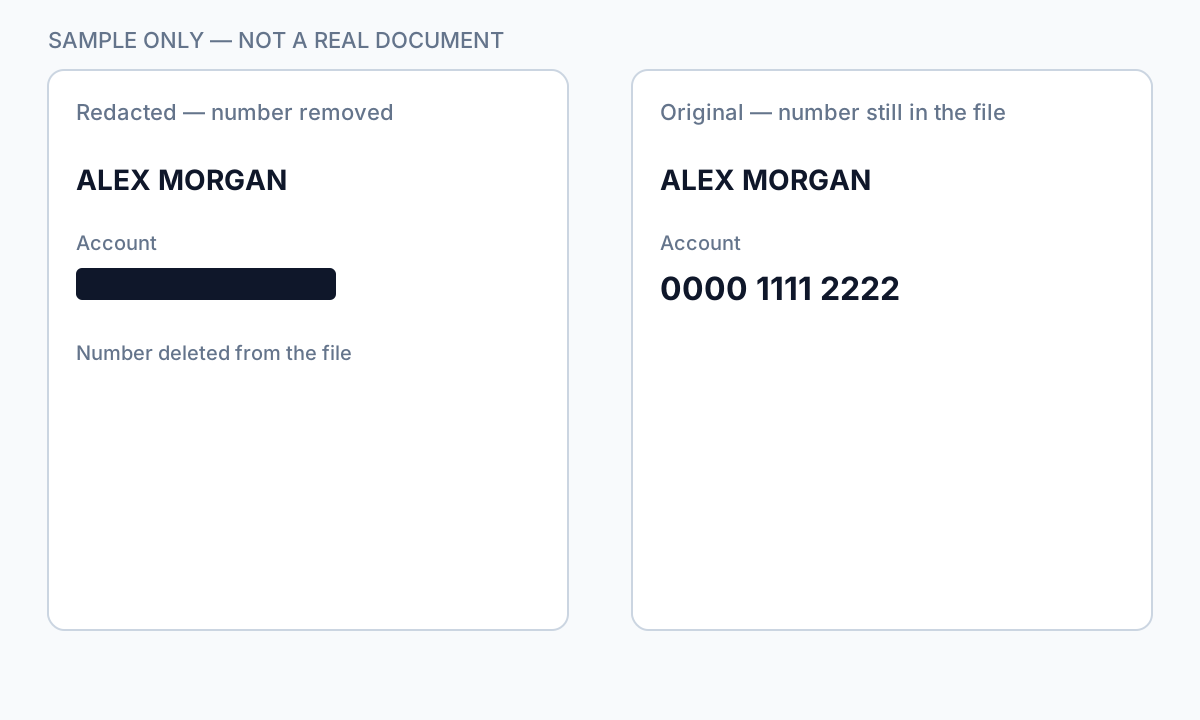
Quem procura desfocar um PDF normalmente quer ocultar nomes, rostos ou números de conta antes de partilhar. Os filtros de desfoque alteram os píxeis no ecrã—mas em PDF baseados em texto os caracteres subjacentes permanecem frequentemente na estrutura do ficheiro. Ferramentas de deblurring, OCR e copiar-colar podem recuperar o que parecia devidamente oculto. Este guia explica quando o desfoque ajuda (fotos, regiões digitalizadas), quando falha (texto selecionável) e como passar à redação verdadeira ou à anulação de informações num PDF para PII.
- → How do I blur text on a PDF?
- → Is blurring a PDF the same as redacting?
- → Can blurred PDF text be recovered?
- → Blur PDF online— is it safe for bank statements?
- → Should I blur or black out sensitive PDF text?
Blur vs redaction
| Method | Visual effect | Text extractable? |
|---|---|---|
| Gaussian blur on text layer | Soft edges | Often yes — text still in PDF |
| Blur on flat image scan | Pixel smear | Usually no — if no OCR layer added |
| Black box overlay | Hard cover | Yes — classic copy-paste leak |
| True redaction (Apply) | Solid black | No — content removed from stream |
If Ctrl+A → Copy → Paste returns readable text, blur did not protect the data.
When blur is acceptable
- Obscuring faces in photos embedded in PDF pages (plus verify no text caption names).
- Casual sharing where recovery risk is low and content is image-only.
- Draft review watermarks—not final production to opposing counsel.
For SSNs, account numbers, medical IDs, and legal party names, use true redaction—not blur tools marketed as “blur PDF online.”
Secure alternative workflow
- Identify whether PDF is text-native or scan/image.
- For text PDFs: use redaction with Apply, not blur.
- For scans: redact then export flat image if required.
- Verify with paste test and Find search.
- Scrub metadata before external share.
Fluxo passo a passo
- Determine if PDF has selectable text under the region.
- If yes, abandon blur—use true redaction.
- If image-only, blur or redact pixels then flatten export.
- Run Ctrl+A paste test.
- Search output for redacted strings.
Erros comuns
- Using blur for bank or tax PDFs
Text layer survives most blur effects.
- Online blur upload for client files
Full document leaves your device—use offline redaction.
Verificação antes de partilhar
- ✓ Paste test returns no sensitive text.
- ✓ No OCR text layer under blurred image regions.
- ✓ Metadata scrubbed for external share.
Opção de ferramenta offline
Para extratos bancários, produções legais, ficheiros de RH e outros PDF de alto risco, o software de ambiente de trabalho com remoção de PII offline deteta identificadores, permite rever correspondências e aplicar redação permanente sem upload na cloud. hub de redação PDF e redação PII em lote ajudam com pastas inteiras.
Transferir teste gratuitoFAQ
Can I blur a PDF for free online?
You can, but free blur tools rarely remove underlying text and often require upload. Not suitable for regulated PII.
Is blur better than a black box?
Neither removes text in a native PDF. True redaction removes content; overlays and blur only change appearance.