
Actualizado 2026-06-06
Redactar un PDF firmado sin invalidarlo
Las firmas digitales PKI hacen hash de los bytes del documento en el momento de firmar—cualquier cambio posterior invalida el panel de firma. Los equipos que redactan números de cuenta en un contrato contrafirmado se preguntan por qué Acrobat muestra «Firma no válida». La solución es el orden del flujo: redactar campos sensibles en el borrador, luego firmar la versión canónica redactada—o volver a firmar tras la redacción con rastro de auditoría documentado. Las imágenes de firma electrónica (fotos de firmas) se comportan como escaneos; las firmas PKI como criptografía. Consulte cómo redactar un contrato y cómo redactar documentos legales para flujos de producción.
- → Can I redact a PDF after it has been digitally signed?
- → Why does redaction invalidate my PDF signature?
- → Should I redact before or after DocuSign signing?
- → How do I redact a notarized PDF scan?
- → Will redacting break my electronic signature?
Signature types behave differently
| Type | What it is | After redaction |
|---|---|---|
| PKI digital signature | Certificate-based hash in PDF | Invalid until re-signed |
| Electronic signature image | Picture of signature on page | May remain valid visually; content changed |
| DocuSign certificate page | Audit trail + signature | Invalid if bytes change post-sign |
| Wet ink + notary scan | Image of paper | Redact like any scan; recorder may reject altered notary block |
Recommended order of operations
- Draft → redact PII/secrets → final review → sign → distribute.
- Never redact after PKI sign unless you plan to re-sign.
- For DocuSign: redact source PDF before sending envelope when possible.
- If only signed copy exists: rebuild unsigned PDF from content, redact, re-sign.
- Document re-sign event in matter file for legal audit.
Redact before the envelope goes out, or complete a new signature cycle on the redacted file.
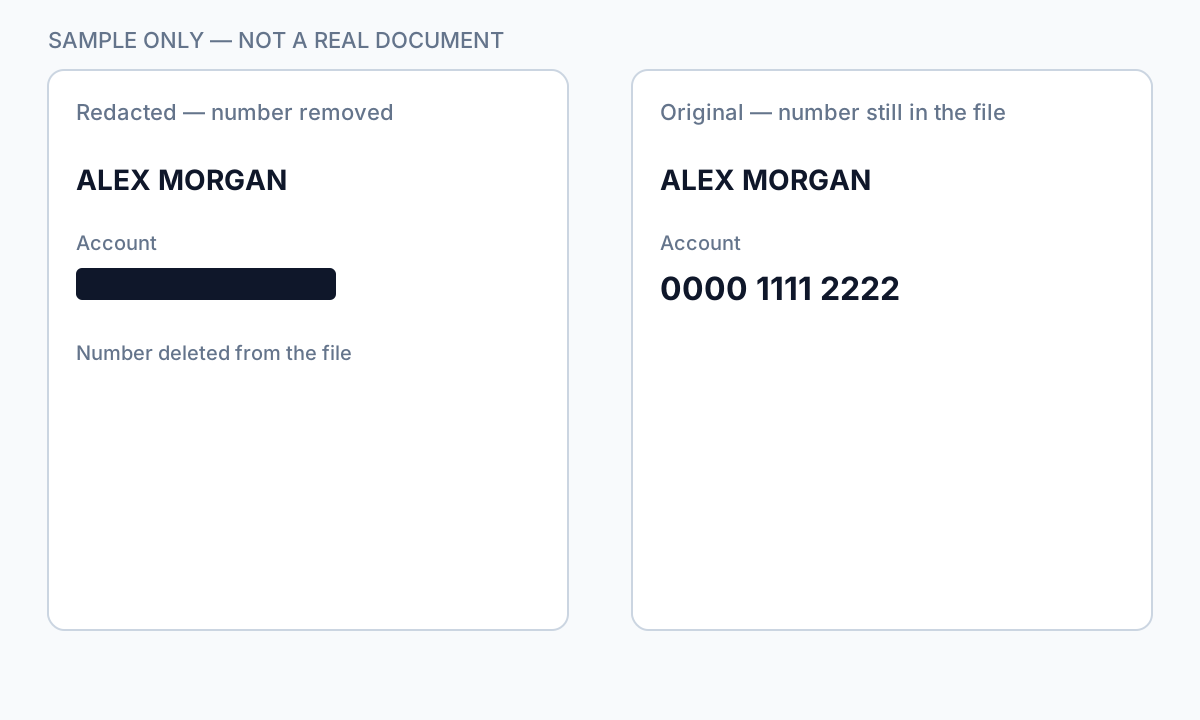
Notarized and recorded documents
Redacting a notary block or seal on a recorded deed may cause county recorder rejection. For notarized scans, redact surrounding PII but consult counsel before altering notary elements. Internal copies for discovery may redact more aggressively than recording copies.
Flujo paso a paso
- Open Signatures panel—determine PKI vs. image signature.
- If unsigned draft exists: redact draft, then sign.
- If only signed PDF: export content, rebuild, redact, re-sign with audit note.
- Verify redaction independent of signature validity.
- Store unredacted original under retention policy separately.
Errores comunes
- Redacting after PKI sign without re-sign plan
Recipients see invalid signature—compliance and trust issue.
- Redacting notary block on recording copy
County recorder may reject document.
- Assuming image signature = safe to redact underneath
Content still changed; legal review may require new execution.
Verificación antes de compartir
- ✓ Signature valid or intentionally re-signed with log entry.
- ✓ Redaction verified with paste test regardless of signature panel.
- ✓ Original signed version archived if policy requires.
Opción de herramienta offline
Para extractos bancarios, producciones legales, RR. HH. y otros PDF de alto riesgo, el software de escritorio con eliminación de PII offline detecta identificadores, permite revisar coincidencias y aplicar redacción permanente sin subir a la nube. centro de redacción PDF y redacción PII en lote ayudan con carpetas enteras.
Descargar prueba gratuitaFAQ
Will DocuSign certificate survive redaction?
No—redact before sending for signature, or re-execute envelope on redacted file.
Can I remove SSN from a signed contract?
Only on a copy with re-sign or if signature was not yet applied—plan workflow upfront.